What it is
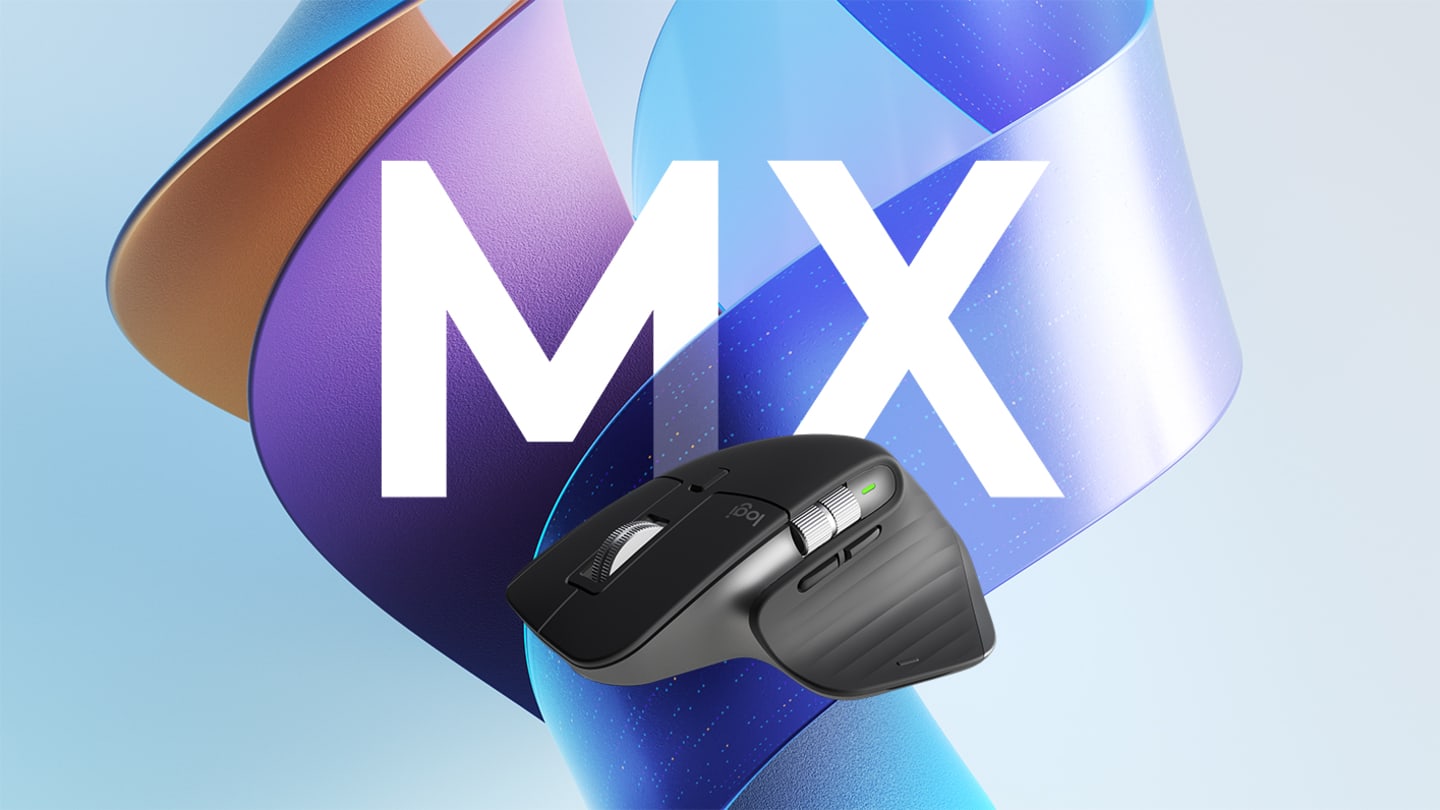
The MX Master 3S combines an 8,000 DPI Darkfield sensor, MagSpeed scrolling, a thumb wheel, seven customizable buttons, Bluetooth and Logi Bolt connectivity, and USB-C charging in a full-size right-handed body.
- 200-8,000 DPI Darkfield sensor
- MagSpeed wheel plus horizontal thumb wheel
- Bluetooth Low Energy and Logi Bolt support
- Easy-Switch support for up to three devices
- USB-C rechargeable 500 mAh battery
Why the MX Master 3S still stands out
The Logitech MX Master 3S is built around productivity rather than portability or gaming speed. Its combination of a tall right-handed shape, a thumb wheel, customizable controls, and the MagSpeed scroll wheel is intended for people who move between long documents, spreadsheets, timelines, and several computers during a workday.
This is a research-based review using Logitech's current product information and support documentation. We have not presented manufacturer claims as independent test results, and buyers should confirm the exact edition sold in their region.
Shape and everyday comfort
At 124.9 x 84.3 x 51 mm and 141 g, the MX Master 3S is a substantial desktop mouse. The raised body supports the palm and places the thumb controls within reach for many right-handed users. That shape is one of its main advantages, but it is also its clearest limitation: left-handed users are not accommodated, and people with smaller hands may find the body wide or the 141 g weight tiring.
Logitech says the main buttons use Quiet Click technology and produce substantially less click noise than the earlier MX Master 3. That makes the 3S a sensible candidate for shared offices, calls, and late-night work, although the feel and sound will still depend on the surface and the individual unit.
Scrolling and tracking
The MagSpeed electromagnetic wheel can move through long pages quickly and switch to precise line-by-line scrolling. Logitech claims it can scroll up to 1,000 lines per second. A separate thumb wheel is useful for horizontal navigation in spreadsheets, editing timelines, and other wide layouts.
The Darkfield sensor supports a range from 200 to 8,000 DPI. Logitech also specifies tracking on glass with a minimum thickness of 4 mm. The higher sensitivity can be helpful on high-resolution or multi-monitor setups, but it does not turn the MX Master 3S into a lightweight competitive gaming mouse.
Connections and software
The standard MX Master 3S supports Bluetooth Low Energy and Logitech's Logi Bolt receiver. Easy-Switch controls allow movement among as many as three paired devices. Logi Options+ on Windows and macOS provides button assignments, application-specific shortcuts, pointer settings, and Logitech Flow features.
Package contents can vary. Logitech lists a standard edition with a Logi Bolt receiver and charging cable, while a Bluetooth edition may omit both accessories. Check the exact model number and box contents before ordering, especially when buying through a marketplace or across regions.
Battery and charging
The mouse uses a rechargeable 500 mAh lithium-polymer battery and charges over USB-C. Logitech rates compatible editions for up to 70 days on a full charge and states that a one-minute charge can provide about three hours of use. Actual runtime depends on settings and usage. The battery is integrated rather than designed for routine user replacement.
Who should buy it
The MX Master 3S makes the most sense for a right-handed user who works at a desk, values quiet controls, scrolls through large documents, and wants one mouse for several computers. Its customization can be particularly useful for spreadsheets, creative applications, research, and general office work.
Who should skip it
Look elsewhere if you need a left-handed shape, a very light travel mouse, onboard controls that do not rely on desktop software, or a mouse optimized for competitive gaming. Buyers who only need basic pointing and scrolling may also find the extra controls and premium positioning unnecessary.
Bottom line
The Logitech MX Master 3S combines a comfortable desktop-focused shape with unusually capable scrolling and customization. Its size, weight, right-handed design, and edition-specific box contents deserve attention, but for multi-device productivity it remains a focused and well-documented option.
The tradeoffs
Reasons to consider it
- Fast and precise scrolling for long documents
- Quiet primary buttons suit shared workspaces
- Extensive customization through Logi Options+
- Works with multiple devices and major operating systems
Reasons to skip it
- Right-handed shape excludes left-handed users
- Large 141 g body is not ideal for every hand or travel bag
- Advanced customization depends on Logi Options+
- Box contents differ between standard and Bluetooth editions
Key specifications
| Model | MR0077 (standard edition; regional variants may differ) |
|---|---|
| Sensor | Darkfield high precision |
| Resolution | 200-8,000 DPI |
| Buttons | 7 customizable buttons, plus gesture and thumb controls |
| Connections | Bluetooth Low Energy and Logi Bolt |
| Battery | Rechargeable Li-Po, 500 mAh |
| Dimensions | 124.9 x 84.3 x 51 mm |
| Weight | 141 g / 4.97 oz |
See Also
Official product pages, specifications, manuals, and related project resources.